- Home Page /
- Office Products /
- Office Electronics /
- Document Camera /
- TreasLin USB Document Camera 15MP Document Camera for T...
0 ratings



Item #:
220785413
TreasLin USB Document Camera 15MP Document Camera for Teachers, Remote Learning, Classroom Presentations, Art Classes Online Teaching with Multi
82% of respondents would recommend this to a friend
Item #:
220785413
NGN 140739
Price Details
Excluding Shipping & Custom charges ( Shipping and custom charges will be calculated on checkout )
*All items will import from US
In stock
 Imported from USA store
QTY:
Only 6 items left in stock.
Order now and get it around Sunday, June 28
Secured transaction
Ubuy works hard to protect your security and privacy. Our advanced payment security system ensures confidentiality by encrypting your information during transmission using AES (Advanced Encryption Standards) and SSL (Secure Socket Layer) protocols. Your payment details are 100% secure as we do not share your payment details with third party sellers.
Our Top Logistics Partners


TreasLin Document camera for teachers is a game-changing tool for remote learning, video conferences, online classes, live broadcasts and other scenes.

Fast
Shipping

Free
Return*

Secure Packaging

100% Original Products

PCI DSS Compliance

ISO 27001 Certified


Note: Step Down Voltage Transformer required for using electronics products of US store (110-120). Recommended power converters Buy Now.


What Stands Out
High Resolution
The 15MP camera delivers stunning image clarity, making it ideal for detailed presentations and remote learning, ensuring every student can see crucial information clearly.
Multi-Angle Adjustment
The flexible rotation capability allows for versatile viewing angles, enhancing teaching methods for art classes, remote learning, and classroom presentations, making lessons more engaging.
Integrated LED Light
Built-in LED lighting ensures bright, even illumination in various settings, improving visibility of documents and artworks while eliminating shadows, creating a professional presentation environment.
Product Details
- 【Document Camera for Teachers】This USB document camera is widely used remote learning, video conferences, online classes, live broadcasts and other scenes. Equipped with a 10 megapixels lens, this document camera for classroom output high quality live video to your PC, allow you share and present textbooks or 3D objects. Supporting Resolution and Frame Rate: 2160p15 / 1080p30 / 720p30
- 【15 Megapixel camera for superior image clarity】the 15 MP Sony Sensor captures real-time 4K Ultra High Definition images (3840 x 2160 at 30 fps), and up to 15 megapixels (3840 x 2880 at 15 fps), allowing for crystal-clear images on any size screen, including wall projectors. Dual-mode autofocus (continuous, single time) quickly shifts focus between moving/static objects, while the macro function captures objects as close as 5 cm(1.97")
- 【Document Camera Works with lots of Software,Plug and Play】The document cameras applicable to Windows PCS, Macs, and Chromebooks, automatically installs drivers when the device is plugged in, compatible with Tiktok,Google Meet,Skype Microsoft Teams,Zoom,OBS etc
- 【Foldable Document Camera for teachers/classroom】The doc camera for teachers mbedded design, occupies a small space after folding, easy to carry; Multi-joint support with multi-angle rotate freely usb camera can capture 2D and 3D objects better and shooting high-definition images and videos. Maximum covering area: 16.5" x 116" in(A3 paper)
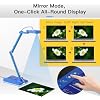
- 【USB Document Camera with adjustable image reversal】The USB cameras that can manually adjust image reversal. In video chat or image output, the image can be freely adjusted left/right and up/down; you can also manually adjust the reversed image that appears in the device to a normal image
- 【With Powerful Functions】The USB Camera with powerful functions:【Zoom in and Zoom out:+-】【ISO:+-】【Fixed Focus:FF】【Auto Focus:AF】【LED ON/OFF】【Image Reversal:Left right mirror switching/up down mirror switching】USB 2.0 HUB support USB2.0 devices,e.g.USB MIC/USB disk/USB headset
| Shooting Modes | Automatic |
| Exposure Control Type | Automatic |
| Color | Blue |
| Video Capture Resolution | 1080p, 4K |
| Water Resistance Level | Not Water Resistant |
| File Format | JPEG |
| Screen Size | 2 Inches (5.1 cm) |
| Video Capture Format | 4K |
| Effective Still Resolution | 15 MP |
| Viewfinder Type | LCD screen |
| Compatible Devices | Desktop, Laptop |
| Light Sensitivity | 100-6400 |
| Image stabilization | Dynamic |
| ISO Range | 100-6400 |
| Minimum Shutter Speed | 1/4000 |
| Audio Recording | Yes |
| Has Self-Timer | No |
| Aspect Ratio | 16:9 |
| Audio Output Type | USB Headset |
| Zoom Type | smooth zoom |
| Aperture Modes | automatic |
| Flash Type | Internal |
| Camera Flash | no flash |
| Brand | TreasLin |
| Manufacturer | TreasLin |
| Model Number | USB Document Camera(15 MP, Blue) |
| Mfr Part Number | 711620497308 |
| Built-In Media | Document camera |
| Connectivity Technology | USB |
| Hardware Interface | USB |
| Macro Focus Range | 5 cm (1.97 inch) |
| Focus Type | Autofocus |
| Autofocus | Yes |
| Focal Length Description | 24-35mm |
| Sensor Type | CMOS |
| Photo Sensor Resolution | 15 MP |
| Item Weight | 1 lbs (450 grams) |
What's in the box
Document camera
Who Should Buy?

-
Teachers and Educators
Ideal for teachers conducting remote learning or classroom presentations, enhancing engagement through high-quality visual aids.
-
Art Instructors
Perfect for art classes, allowing instructors to showcase techniques and student work in high definition from multiple angles.
-
Students in Online Learning
Beneficial for students needing to present their work remotely, ensuring clear visibility of documents and projects.

-
High-End Professional Use
May lack the advanced features professional users need, such as superior image quality or specialized connectivity options.
-
Mobile Users
Less suitable for users who require extensive portability, as it may not be as lightweight or compact as needed.
-
Budget-Constrained Users
Might not be the best fit for users seeking lower-priced options, as it may carry a higher cost than budget cameras.
Product Description
Have any Query? Chat with us
Customer Questions & Answers
-
Question:
What is the resolution of the TreasLin Document Camera?
Answer: The TreasLin Document Camera features a 10MP resolution, offering sharp and clear visuals. This high resolution is ideal for displaying detailed images, whether you're showcasing art projects, presenting documents, or teaching complex subjects. The camera captures intricate details that enhance learning experiences during remote classes, making it suitable for educators and students alike. -
Question:
Is the TreasLin Document Camera compatible with all devices?
Answer: Yes, the TreasLin Document Camera is designed to be compatible with various devices, including laptops and desktops that support USB connections. By simply plugging it into your device, you can start using it right away. This versatility allows teachers to seamlessly integrate the camera into their existing tech setups, whether for classroom presentations or online teaching. It works well with popular software for enhanced educational engagement. -
Question:
Can the document camera be used for online teaching?
Answer: Absolutely, the TreasLin Document Camera is specifically designed for online teaching. Its 10MP resolution provides crisp visuals, which are essential for effective teaching. Whether it's displaying notes, showing student artwork, or conducting live demonstrations, this document camera enhances interactions in virtual classroom settings. Instructors can easily engage students, regardless of location, making distance learning more effective. -
Question:
How does the overhead feature benefit classroom presentations?
Answer: The overhead functionality of the TreasLin Document Camera allows educators to present materials directly above the camera, displaying them in real-time. This is particularly useful for subjects like art and science, where demonstrating processes is key. By presenting documents, drawings, or even physical objects, teachers can facilitate a more interactive and engaging learning environment that inspires participation from students. -
Question:
What other features does the TreasLin Document Camera offer?
Answer: In addition to its high resolution, the TreasLin Document Camera comes with capabilities like adjustable angle positioning and real-time video capture. It can enhance lesson delivery by allowing educators to zoom in on specific details and share live feeds with students. This multifunctionality makes it suitable for a variety of teaching scenarios, from art classes to scientific experiments, greatly enriching the learning experience. -
Question:
Is it portable for use in different classrooms?
Answer: Yes, the TreasLin Document Camera is designed with portability in mind. Its lightweight and compact construction allows educators to easily transport it between classrooms or even to different locations. This feature is particularly beneficial for teachers who move between various teaching environments, as it ensures they can always provide engaging multimedia presentations, regardless of where they are. -
Question:
What is the setup process for the TreasLin Document Camera?
Answer: Setting up the TreasLin Document Camera is a straightforward process. Simply connect it to your laptop or desktop via USB, and install any necessary drivers that may accompany it. The user-friendly interface allows for quick adjustments and settings configurations. This simplicity ensures even those less tech-savvy can integrate it into their teaching practices with minimal hassle. -
Question:
Can the camera be used for art classes?
Answer: Certainly! The TreasLin Document Camera is an excellent tool for art classes, allowing instructors to capture live demonstrations of their techniques, share student artwork, or project visual materials onto a screen. Its high-quality imaging capabilities showcase colors and details effectively, which is crucial for teaching art concepts, making it an invaluable asset for educators in creative fields. -
Question:
Does the camera provide live streaming capabilities?
Answer: Yes, the TreasLin Document Camera supports live streaming capabilities, which is great for virtual classrooms or hybrid learning environments. Educators can connect it to platforms such as Zoom, Google Meet, or Microsoft Teams and share real-time visuals with students. This feature significantly boosts engagement during lessons, as students can view demonstrations and discussions as they happen, enhancing their learning experience. -
Question:
Where can I buy the TreasLin Document Camera in Nigeria?
Answer: You can purchase the TreasLin Document Camera from Ubuy, which is a reliable online retailer offering a wide range of electronic products. Ubuy provides a convenient shopping experience, making it easy to find and order the document camera directly from their website. With various payment options and user-friendly navigation, Ubuy is your go-to destination for this and other educational tools.
TreasLin Document Cameras USB Document Camera(15 MP, Blue) Editorial Review


The TreasLin USB Document Camera is garnering a mixed but generally favorable reception from users, particularly among educators and remote learners. Many report that the camera is remarkably durable, with one user sharing an anecdote about their cats knocking it off their desk hundreds of times without it suffering permanent damage. The clarity of the image is frequently highlighted, with users appreciating the plug-and-play simplicity that allows for immediate use without complicated setups. One of the standout features is its versatility, including capabilities for dynamic and locked focus, along with zoom and brightness adjustments. While some users noted a challenge when using the camera with shiny surfaces, such as whiteboards, many were able to resolve this issue with a slight adjustment in positioning. However, reviewers pointed out that the camera's performance may vary with different software, with some experiencing limitations in higher resolutions when using programs like OBS. In terms of connectivity, some users faced issues with compatibility with various USB cables, particularly when attempting to connect it to USB-C devices. Support for the device also seems to be lacking, with many users expressing frustration over the inability to access customer service or technical support. Overall, while the TreasLin USB document camera is praised for its build quality and image clarity, it also presents certain inconveniences that potential buyers should Consider. The product generally offers good value for money, especially for its primary target market - educators looking for a functional and affordable tool for instructional purposes. ###
Customer Reviews & Ratings
48 customers ratings
-
5 Star
54%
-
4 Star
18%
-
3 Star
5%
-
2 Star
6%
-
1 Star
17%
Review this product
Share your thoughts with other customers
Pros
- Durable Construction and reliable performance over time.
- Clear image quality with simple plug-and-play functionality.
- Versatile features including dynamic and locked focus, and zoom controls. ###
Cons
- Connectivity problems with USB cables, particularly for USB-C devices.
Product Price History
Important information
- Limitations : For products shipped internationally, please note that any manufacturer warranty may not be valid; manufacturer service options may not be available; product manuals, instructions, and safety warnings may not be in destination country languages; the products (and accompanying materials) may not be designed in accordance with destination country standards, specifications, and labeling requirements; and the products may not conform to destination country voltage and other electrical standards (requiring use of an adapter or converter if appropriate). The recipient is responsible for assuring that the product can be lawfully imported to the destination country. When ordering from Ubuy or its affiliates, the recipient is the importer of record and must comply with all laws and regulations of the destination country.
- Not all the products listed on Ubuy are for sale, as Ubuy is a global search engine. Products are subject to export/trade regulations.
NGN 140739
Order now and get it around Sunday, June 28
This item is not restrict in my country.(Please click on above link if this item is not restrict in your country, So our team will review and allow.)
QTY:
Only 6 items left in stock.
Secured transaction
Ubuy works hard to protect your security and privacy. Our advanced payment security system ensures confidentiality by encrypting your information during transmission using AES (Advanced Encryption Standards) and SSL (Secure Socket Layer) protocols. Your payment details are 100% secure as we do not share your payment details with third party sellers.
Our Top Logistics Partners
Fastest cross-border delivery
Features & Benefits
- 15MP HDMI and USB C dual mode document camera for versatile use.
- Supports high dynamic resolution at 3820x2160@15Hz and 1080p@30Hz.
- Built-in LED light and adjustable ISO for optimal image clarity in any environment.
- Compatible with major video conferencing platforms like Zoom, Skype, and Microsoft Teams.
- Easy to set up with no driver installation needed, just select in app settings.
- Compact and foldable design perfect for teachers on-the-go.